LogoAJCloud Docs
LogoAJCloud Docs
HomepageDocumentation
FAQs
Account Access and Management
What is "Account"?I Can't Receive Email When Registering an Account or Resetting a PasswordHow Do I Update My Email/Mobile Phone Number?How Do I Change the Password for My Account?How Can I Log into My Account to Simultaneously View the Camera on Multiple Devices?Can I Connect the Camera to Two Mobile Phones?How Do I Share My Camera with Family and Friends?How to Manage Shared Cameras and Shared Members?How Do I Delete My Account?
Using the Camera
Motion Detection and Alarm Notification
Storage and Recording
Other Settings of the Camera
Fault Resolution
Subscription
Cloud Services
Cost-related Issues
User Manual
FAQsAccount Access and Management

What is "Account"?

Learn what an "Account" means in the AJCloud app and how to find your account information

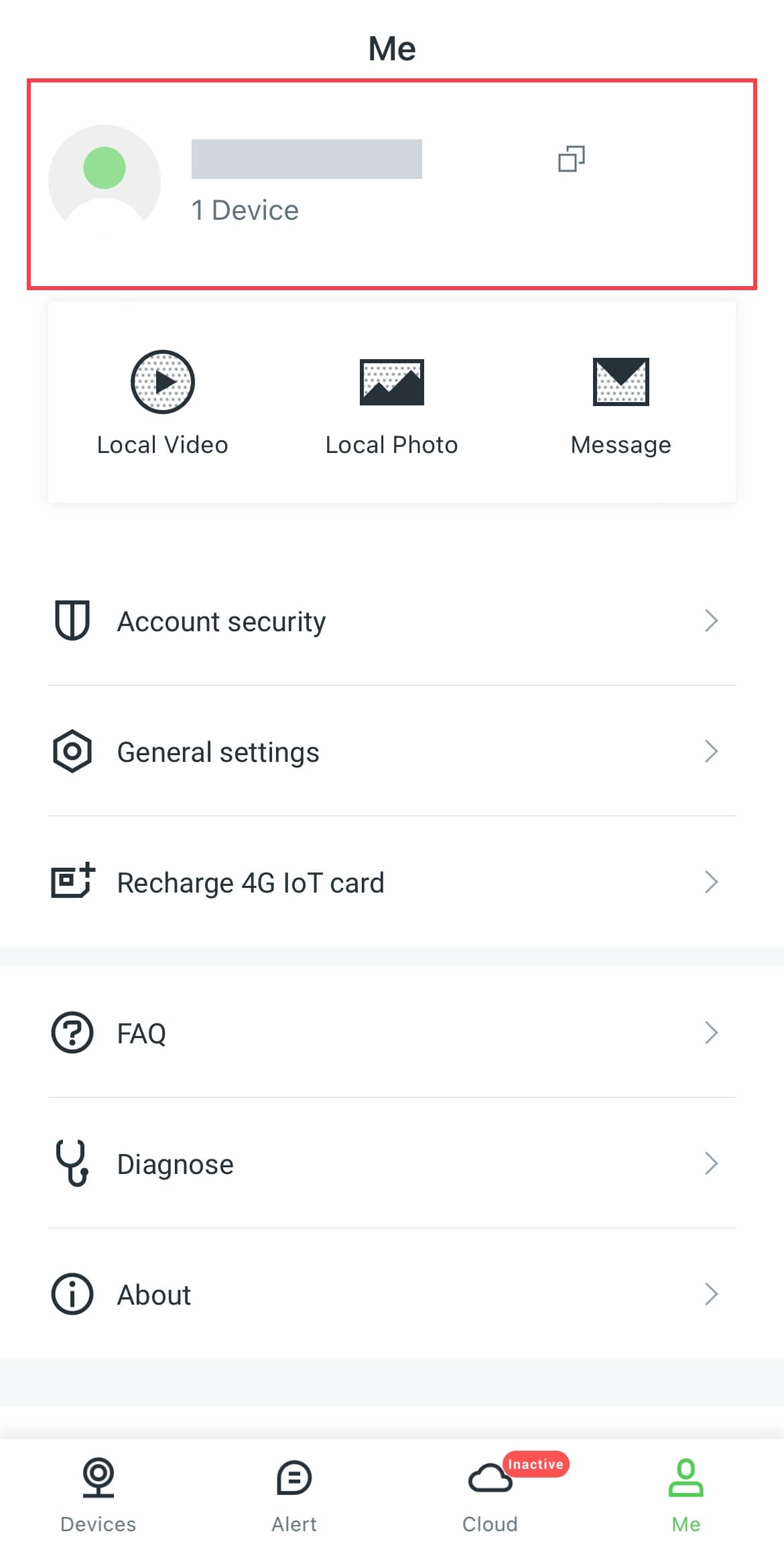
Account is the email address (or phone number, third party ID, etc.) you used when you first registered. Log in to the APP and go to Me, and you can see the current login account information at the top of the page.

If you forget your account, you can try using your usual information (email, phone number) to log in.
AJCloud App - Me page showing account information

As shown in the screenshot above, the area highlighted in red at the top of the Me page displays your account information, including your account name and the number of devices linked to your account.

If you have trouble accessing your account, check out I Can't Receive Email When Registering an Account or Resetting a Password for help with email delivery issues.

Account Access and Management

FAQs about account access and management

I Can't Receive Email When Registering an Account or Resetting a Password

Troubleshooting steps for email delivery issues during account registration or password reset