 Документация AJCloud
How Do I Update My Camera Firmware Version?
Learn how to check the firmware version and update the camera firmware in the AJCloud app
If the camera has a new firmware version available, a red dot will appear on the camera settings button to remind you that an update is available. You can update the camera firmware by following the steps below.
Find the camera you need to update in the APP, click Settings (Gear Button) -> Camera Info -> Firmware Version. The firmware version will be checked and upgraded automatically when you click it.
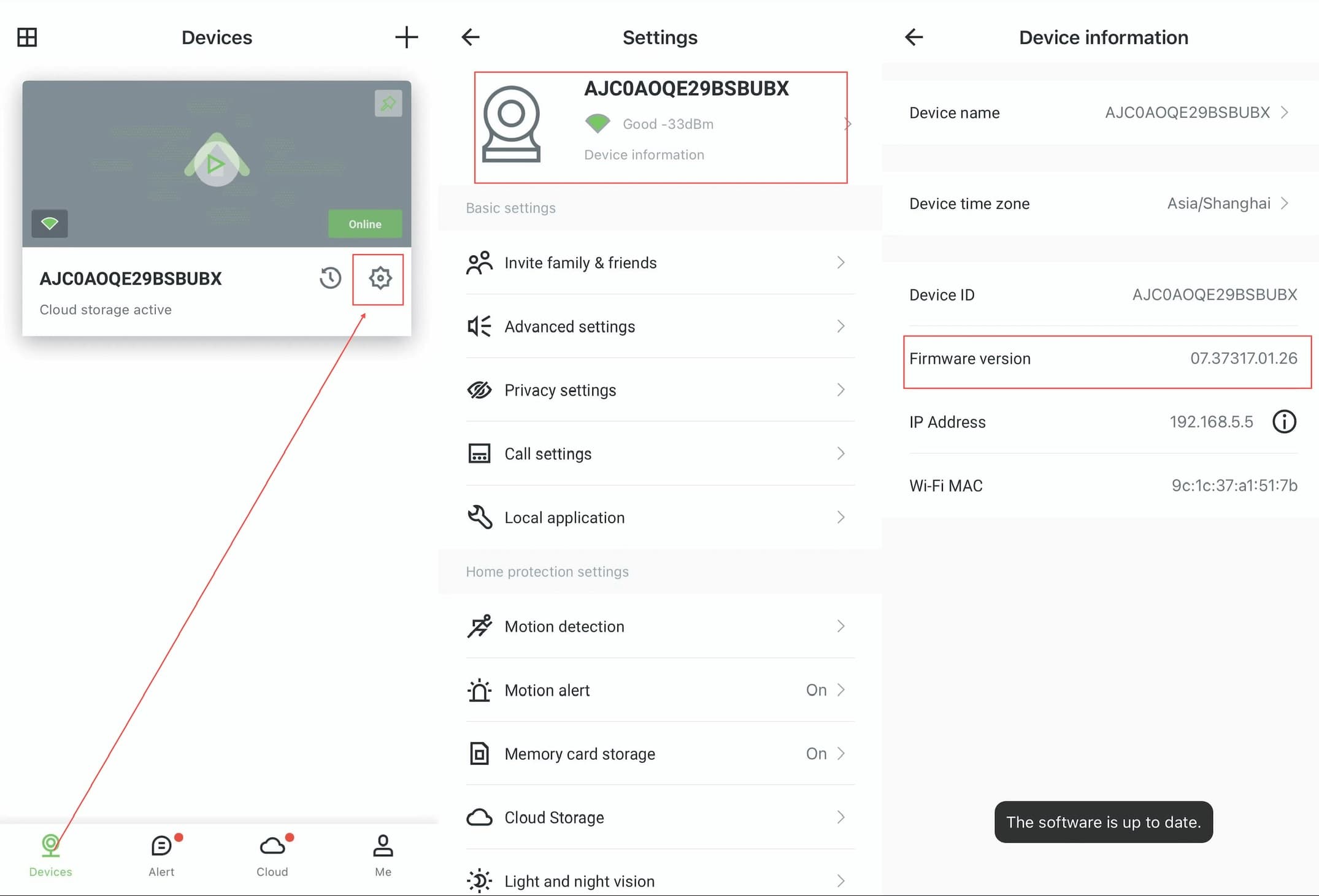
Please make sure the camera is properly connected and the network is in good condition when upgrading. It may take some time to wait for the upgrade to be successful, do not disconnect the camera from the network and power supply during the upgrade process.